
Election Commission of India (ECI) provides online login facility for all registered voters through its official portal voters.eci.gov.in. Voters can apply for a new Voter ID, make corrections, download their EPIC PDF, check voter ID application status, and use many other services.
Voter ID Login on ECI Voter Portal at @voters.eci.gov.in - Step by Step Process
STEP 1: Visit the ECI website homepage at voters.eci.gov.in
STEP 2: On the homepage, click on the "Login" button and enter your registered mobile number or email ID to sign in, as shown in the screenshot below.

STEP 3: Then enter the CAPTCHA code, click on "Request OTP", and enter the OTP to log in to the voter portal.
STEP 4: After logging in, you can access different services related to making corrections in voter details, file complaints, download e-EPIC and others.
ALSO CHECK: Electoral Search by Name / Electoral Search by Mobile Number / Electoral Search by EPIC (Voter ID) Number
How to Create Login User ID and Password on Voters.eci.gov.in?
If you are not already registered on the ECI voters portal, then you can use the below step by step process to create your account / login ID to access voter services.
STEP 1: To create login ID, visit the ECI voter portal at voters.eci.gov.in.
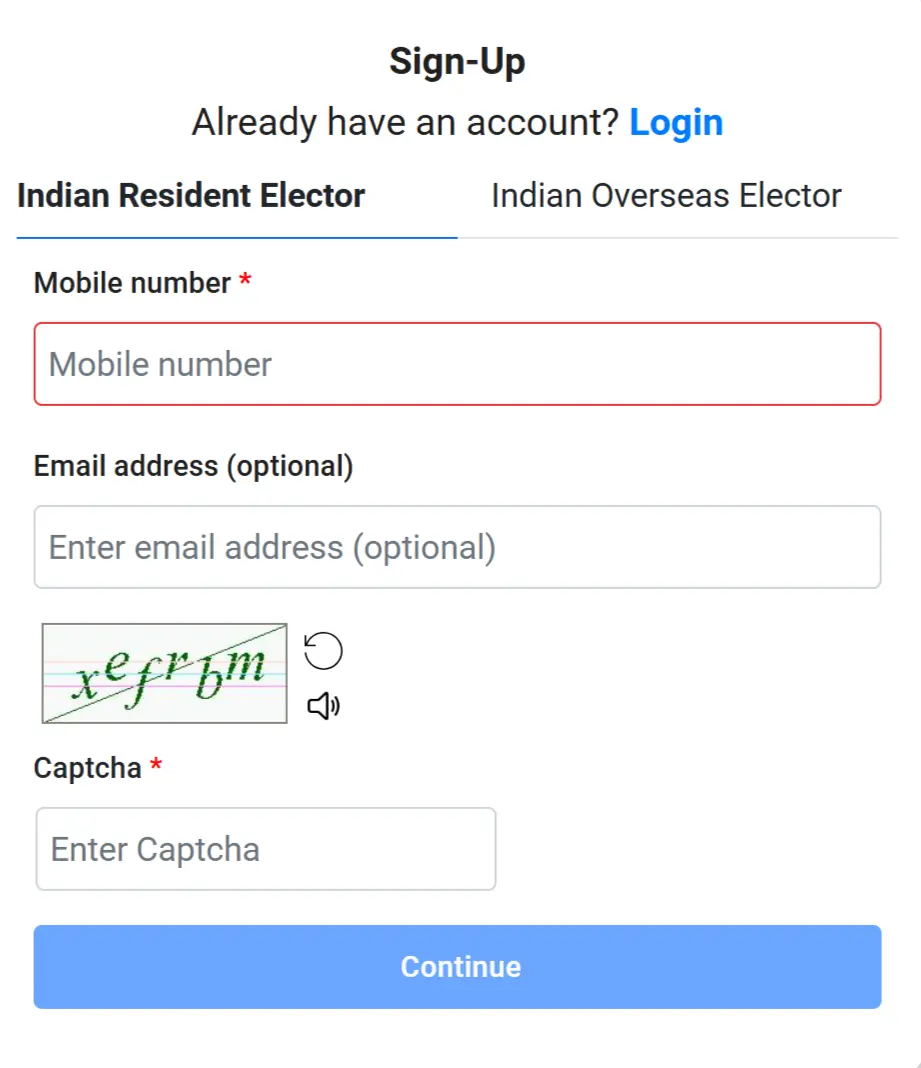
STEP 2: At the homepage, you will find the "Sign-Up" as shown in similar screenshot below.

STEP 3: On the next page, enter your Aadhaar-linked mobile number, email ID, and the CAPTCHA code. Then click on the Submit button to continue.
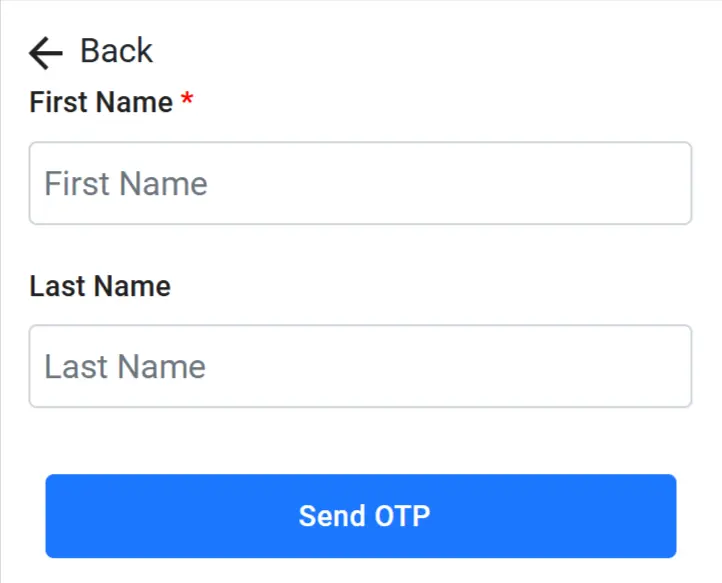
STEP 4: Then You have to enter your Name and click on "Send OTP" button as shown below.
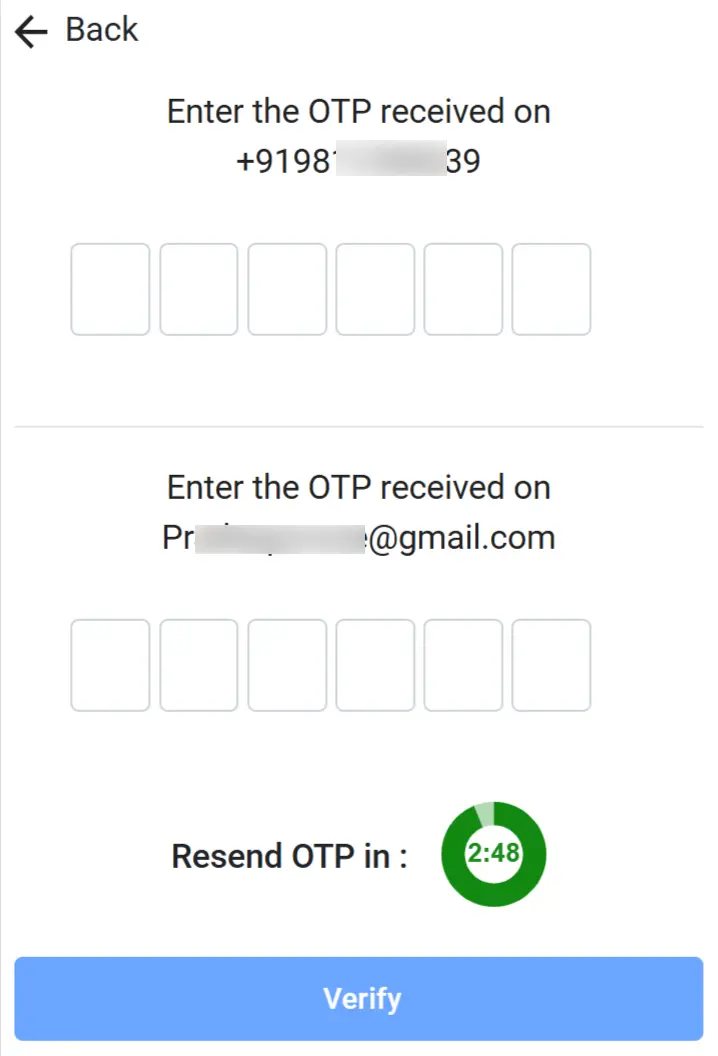
STEP 5: Next, enter the OTP received on your mobile number and email ID, then click on the Verify button to proceed, as shown in the screenshot.
STEP 6: After that, your Voter ID login and password will be created successfully. Your login ID will be the mobile number or email ID that you entered during registration.
Voter Services List for Logged-in Voters
Here are the main voter services available for logged in users on the Election Commission of India (ECI) portal:
- New Voter Registration (Form 6) - Apply for a new Voter ID
- Correction in Voter ID (Form 8) - Update name, age, photo, or other details
- Deletion of Name (Form 7) - Remove a name from the voter list
- Shifting of Address - Change constituency within or outside the state
- Download e-EPIC - Download digital Voter ID card
- Search Your Name in Voter List - Verify your details in the electoral roll
- Update Mobile Number/Email ID - Modify contact details
- Locate Polling Station - Find your polling booth details
- View Electoral Roll PDF - Download voter list of your area
- Voter Information Slip - Access voter slip details
- Register Complaint/Grievance - File complaints related to voter services
- Check Application Status – Track your submitted application