
Form 7 is used to cancel the name in Voter ID Card or make deletion in exiting voter's list. Below-mentioned the online and offline process to make delete or cancel voter ID card.
How to Cancel/Delete (Deactivate) Voter ID Card Online
Step 1: Go to the Electoral CEO Official Website voters.eci.gov.in
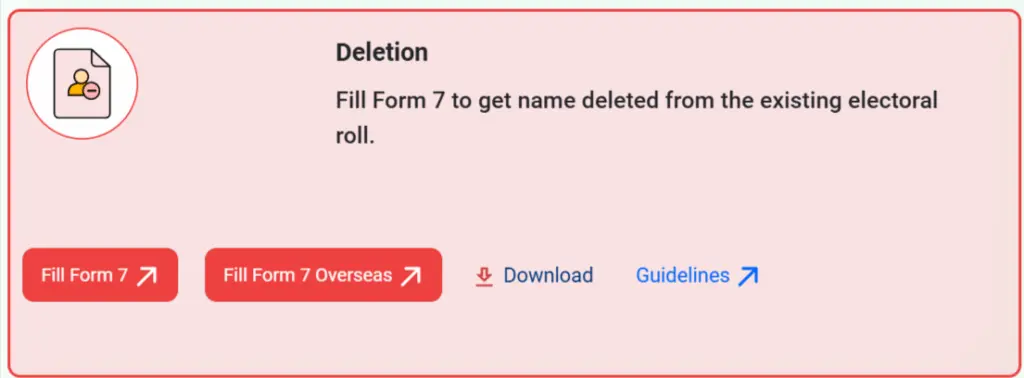
Step 2: On the homepage of the website, you have to click on "Form 7" under the "Deletion" section
Step 3: To make delete or cancel voter ID you have to log in through registered mobile number and enter the captcha code then OTP received to verify to login. If not then click on Sign Up button to registered yourself.

Step 4: On the next page you have to click on "Form 7" and select the Self option then click on submit. After that your record will be displayed.

Step 5: After that, your Online Form 7 will be shown in your screen as the screenshot shown below.

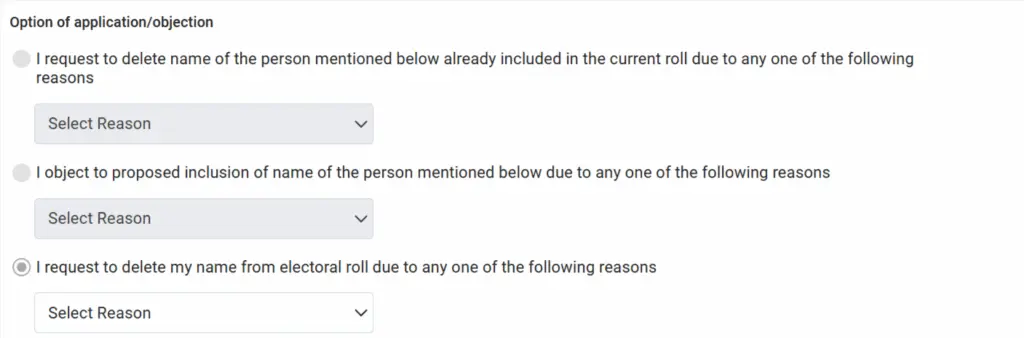
Step 4: Now the applicant has to tick any one option for which he intends to make the application.
- they have died
- they are under age
- they have moved away or permanently shifted
- they are already enrolled in the electoral roll (in the same place or somewhere else)
- they are not an Indian citizen or some other valid reason.
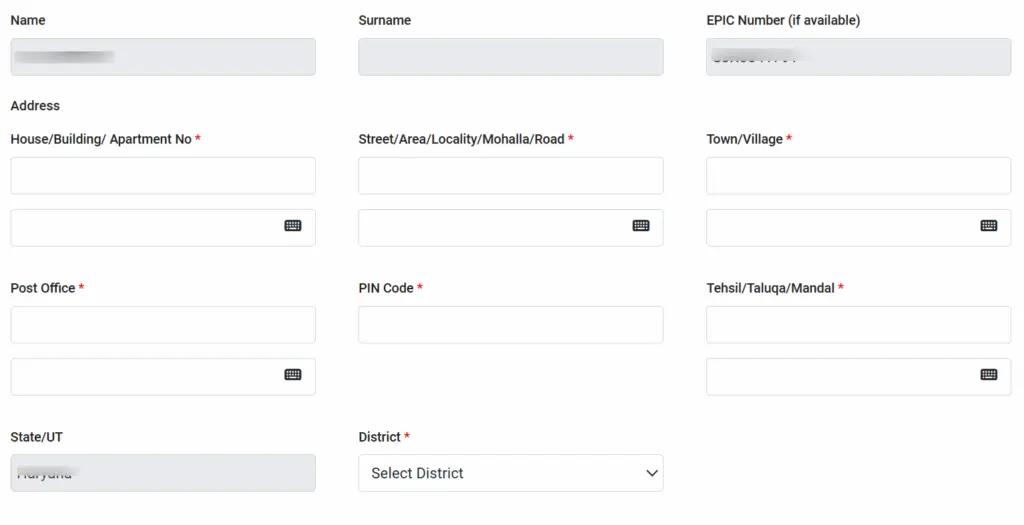
Step 5: The applicant has to fill up the name, surname, EPIC number and address of the person whose entry is objected to for inclusion or sought to be deleted.
Step 6: The applicant must give a 'DECLARATION' that the facts and particulars mentioned in the application are true to the best of his/her knowledge and belief.

Step 7: After declaration, you have to enter the captcha code and click on submit button, and you will receive the reference number to track the application station.
Track Voter ID Card Delete Form 7 Application Status
After submitting Form 7, Voter's can check the application status online to know if their name is added to the voter list.
STEP 1 Open voters.eci.gov.in and login using your mobile number, password and OTP.
STEP 2 Select Track Application Status from the dashboard.

STEP 3 Enter your reference ID number and click on Submit button.
STEP 4 Your voter registration status will appear on the screen.
Voter ID Card Form 7 Download for Deletion
This method is useful for people who prefer paper forms or do not use the internet.
STEP 1 Visit your nearest state election office and ask for Form 6 or directly download from the link giver below.
STEP 2 Fill the form with personal details, address and date of birth details.
STEP 3 Submit the filled form along with documents and one passport-size photo.
Helpline Number for Complaint
- 1950 (Toll-free Number)
- [email protected]