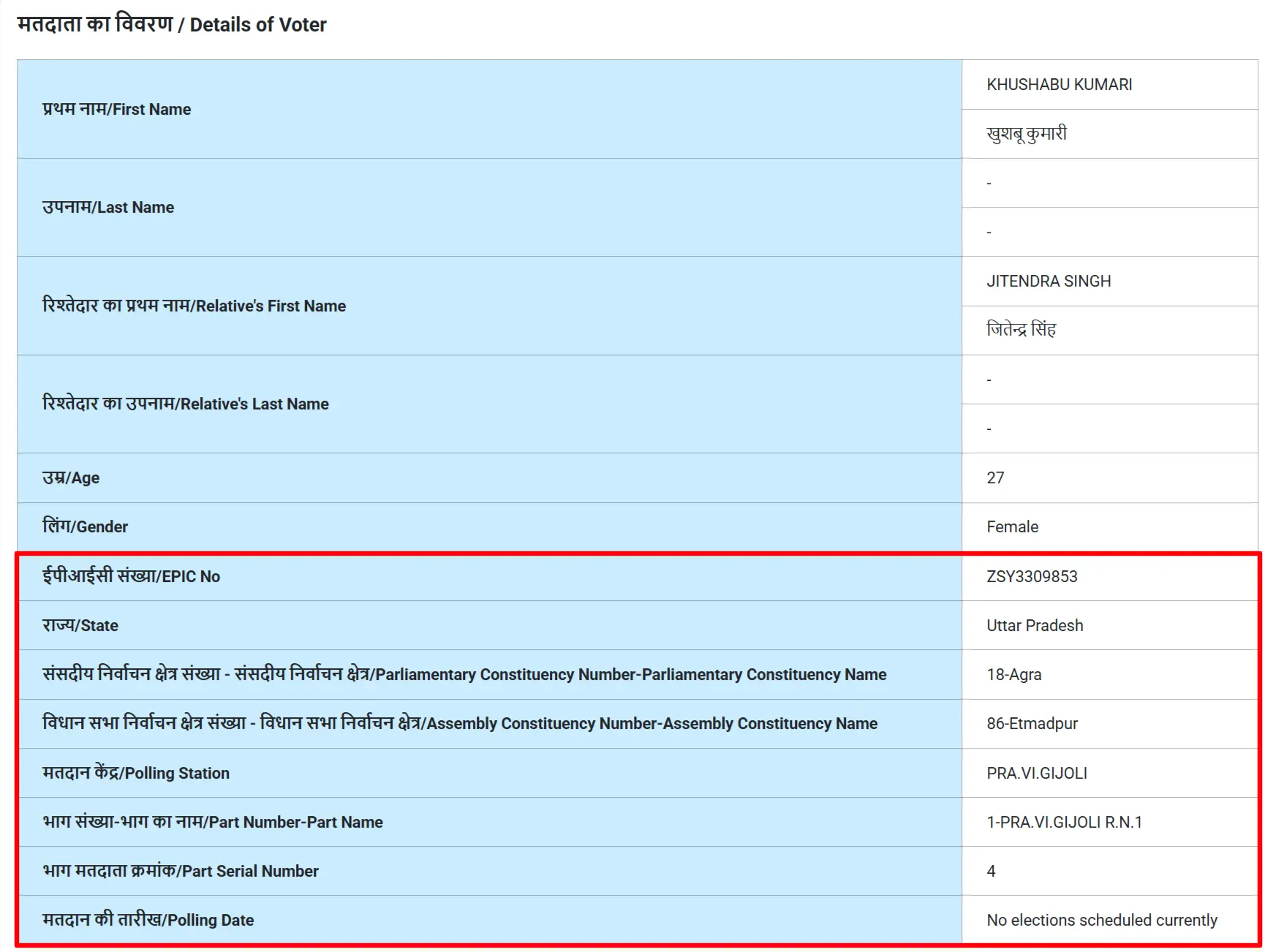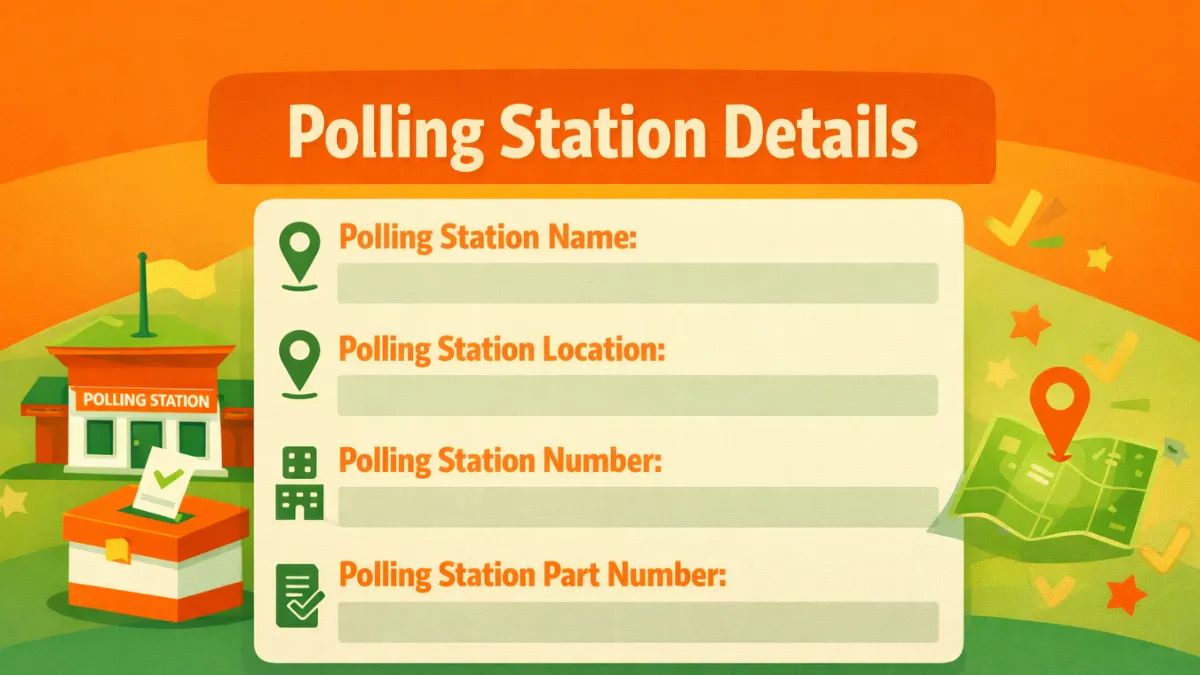
Polling station details include the polling station name, polling station number, polling area, assembly and parliamentary constituency number and name, polling date and time, and other important information.
Voters can check polling station details by using their EPIC or Voter ID number at the official voters portal by following the procedure given below.
Find Polling Station Details by Voter ID Number
Directly enter your voter ID number in the below field and click on "Get Details" button to see complete details of your polling station including part number, name, building name and address.
Official Method: Use the below process to check polling station details on official portal.
STEP 1: Go to the official Election Commission portal at voters.eci.gov.in
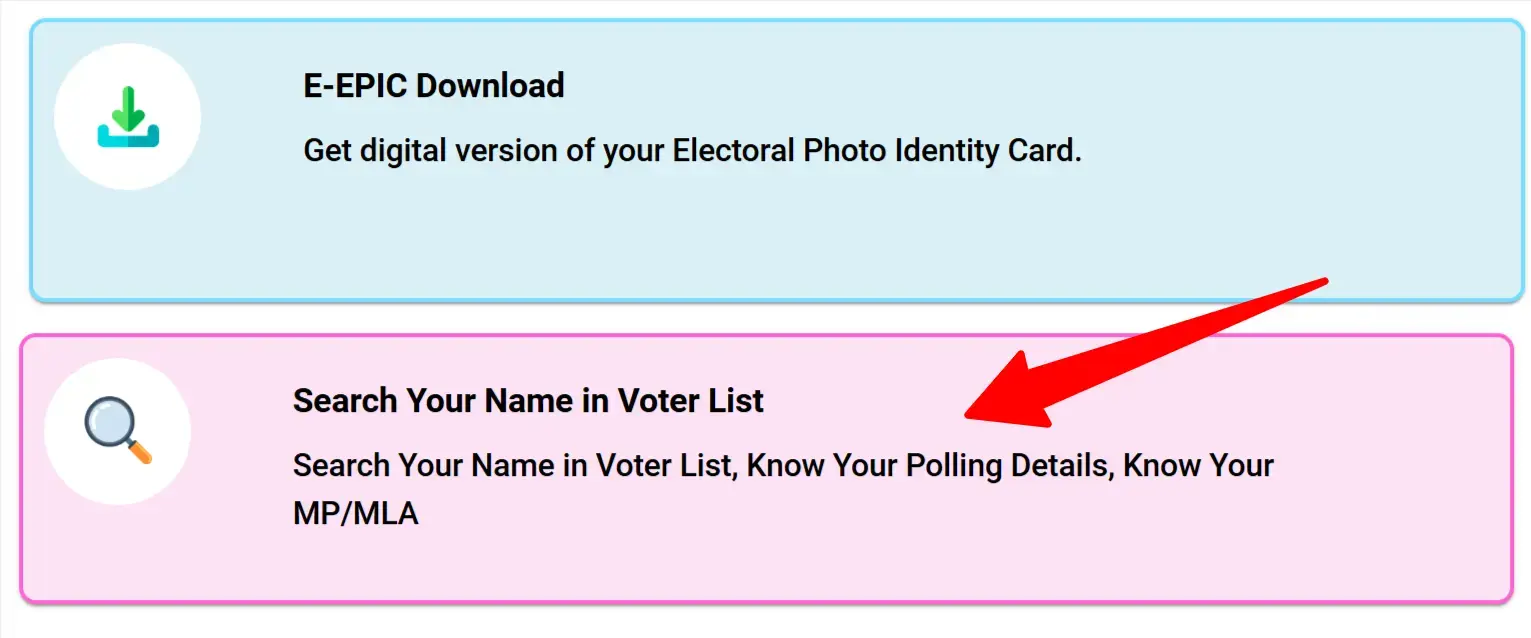
STEP 2: At the homepage of the website, you have to click on "Search Your Name in Voter List" as similar screenshot shown below.
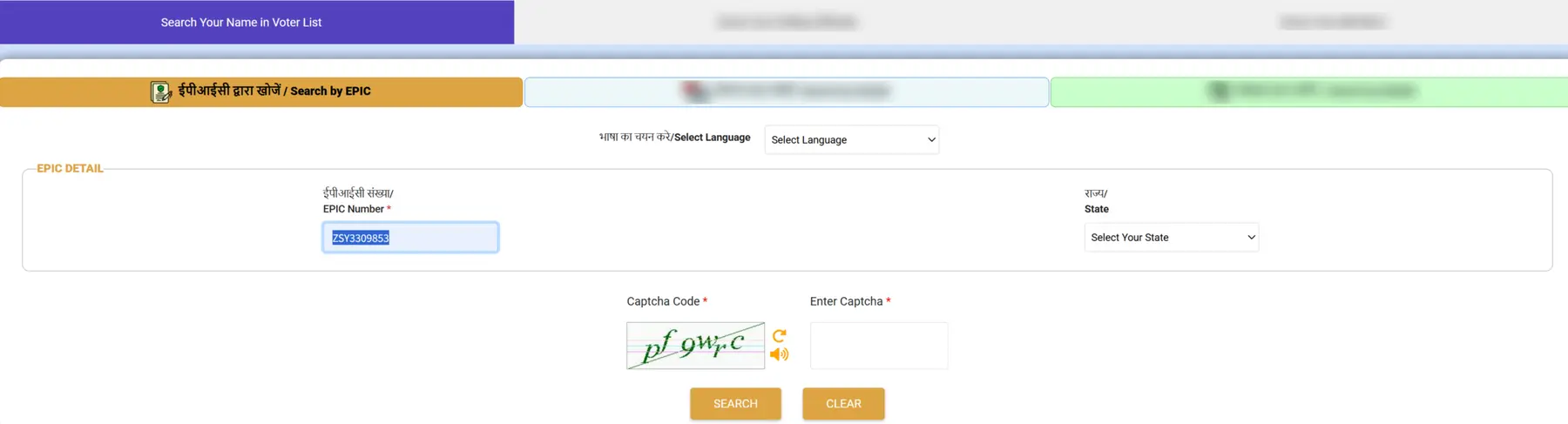
STEP 3: On the next page you have to enter the EPIC number, Select State & Language then click on search button as shown in screenshot below.
STEP 4: After clicking, your details will be appeared and click on "View Details" under action as shown below.

STEP 5: Now your Polling Stations details will be appeared as shown in below screenshot.