
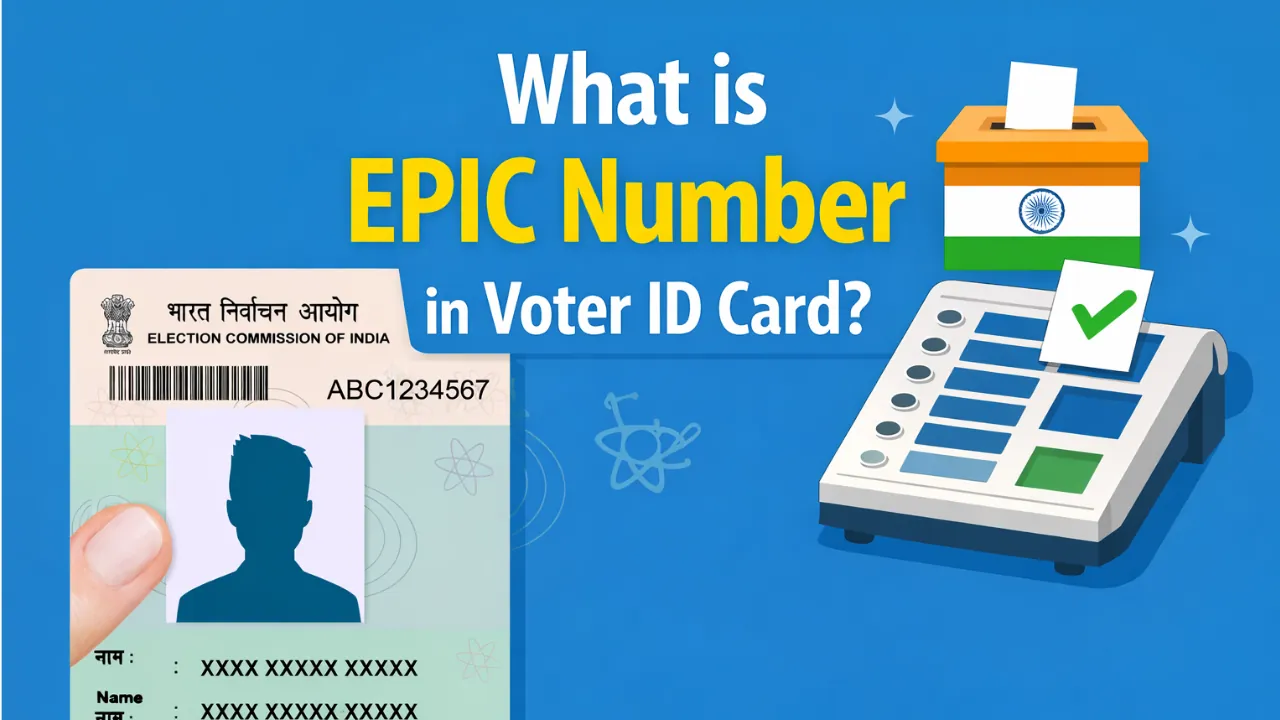
EPIC number in Voter ID card is nothing but your unique voter ID number. The official full form of EPIC is "Election Photo Identity Card" which is generally referred as 'Voter ID Card' by most of the people. The ID number written on your EPIC or voter ID card is called the EPIC Number. This is a unique Identification Number given to all registered voters in India by the Election Commission of India.
This number helps identify you as a voter and is used by the Election Commission of India to keep accurate voter records. You can find your EPIC number printed on your Voter ID card.
What is EPIC Number?
An EPIC number is a unique 10-character ID (Longer for older ID cards) given to every voter by the Election Commission of India. It is used to identify you during voting and proves that you are a registered voter. This number is a mix of letters and numbers (mostly starting with English Alphabet) and is printed on the front side of your Voter ID card.
Where to Find EPIC Number on Voter ID Card?
Check your Voter ID card: Your EPIC number is printed on the front side of the card. It is a 10-character code (Longer for older voter ID cards like RJ/20/12/728292) made of letters and numbers as shown in below image.

Check online: If you don’t have your Voter ID card, visit the Voters’ Service Portal and find your EPIC number using your details or mobile number.
How to Check EPIC Number on Voter's Portal voters.eci.gov.in?
STEP 1: Visit the official ECI Portal voters.eci.gov.in
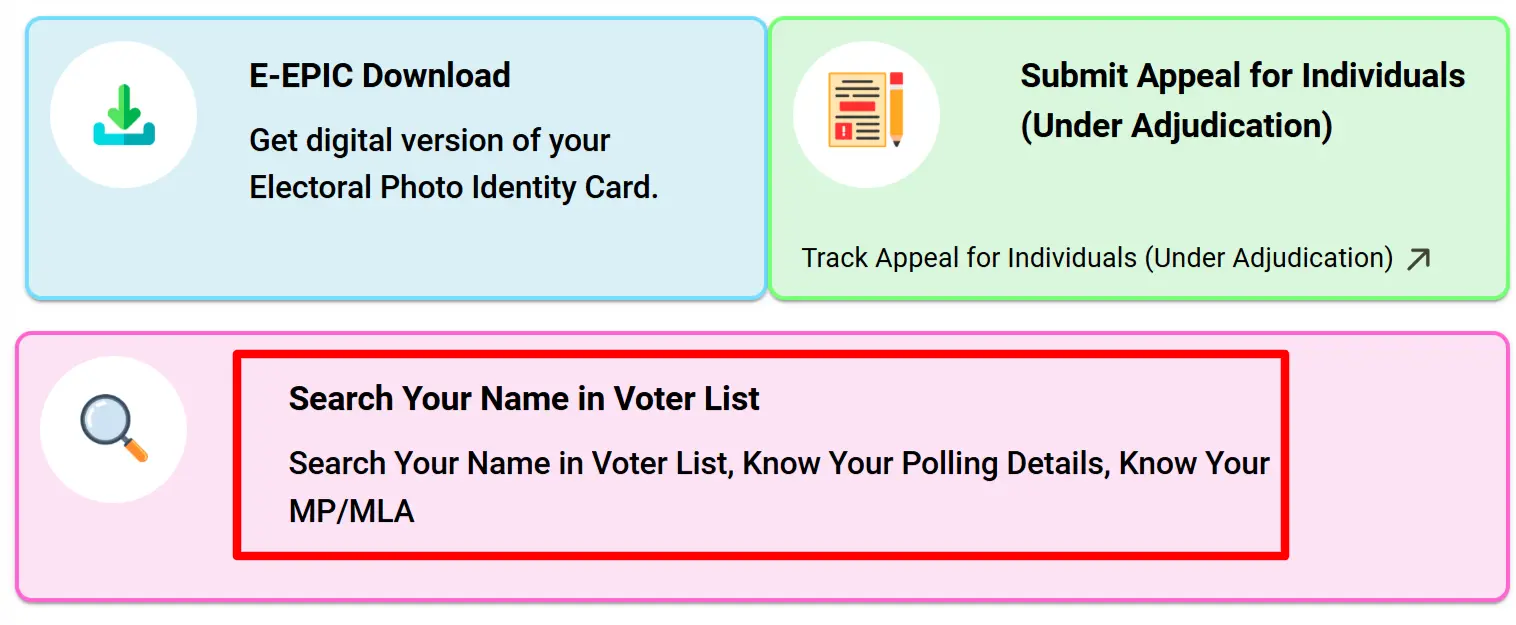
STEP 2: At the homepage, you will find the "Search Your Name in Voter List" as shown in similar screenshot below.
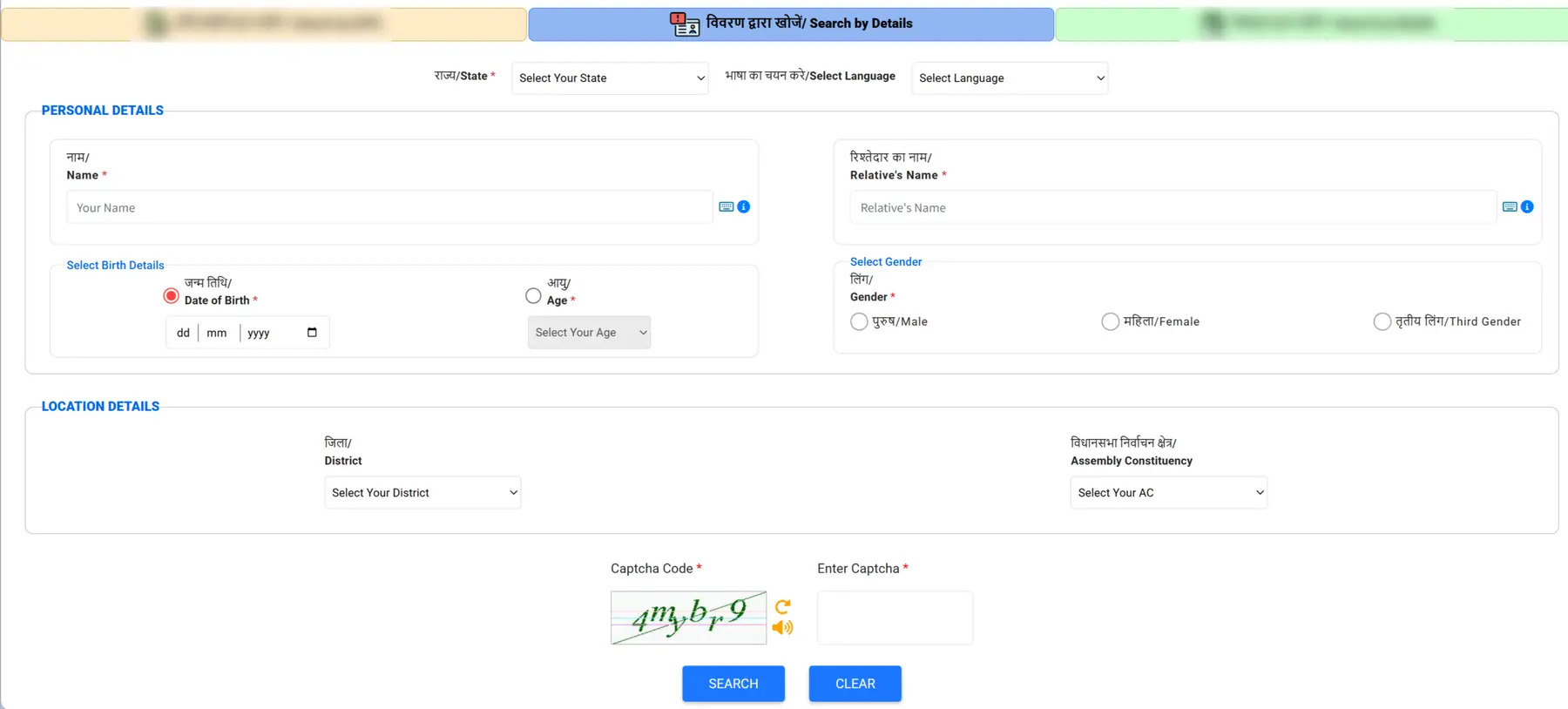
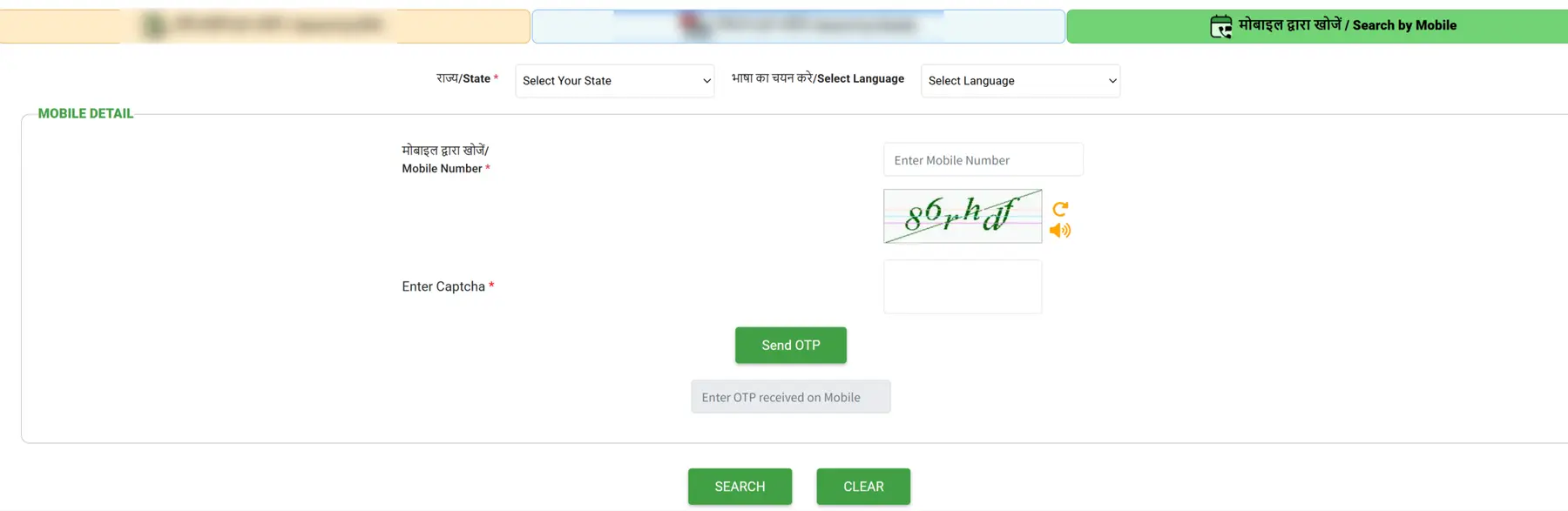
STEP 3: On the next page, you can find your EPIC number using “Search by Details” or “Mobile Number.”
If you choose “Search by Details,” enter your name, relative’s name, date of birth, gender, and select your location details as shown in the image.
If you choose “Search by Mobile No,” enter your mobile number, select your state, and type the OTP sent to your registered mobile. Then click the Search button as shown below.
STEP 4: Once the search is complete, your EPIC number will be displayed in the ‘EPIC Number’ column, along with your voter ID details based on your registration in the electoral roll.

Download Voter ID Card Using EPIC Number
Once the EPIC number is found, a fresh digital voter card can also be downloaded from the ECI Voter's Portal. This helps people who lost their old card or want a clean updated version.
STEP 1: Open the official website https://electoralsearch.eci.gov.in
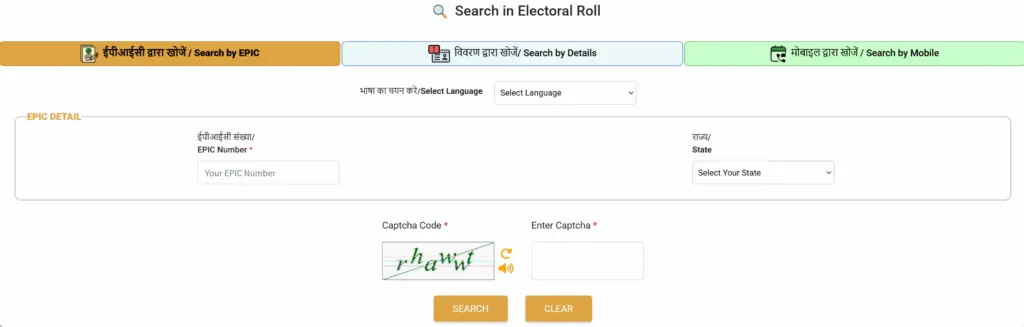
STEP 2: Then select the State and enter the EPIC Number then enter the captcha code
STEP 3: Click on E-EPIC Download tab shown in the dashboard.
STEP 4: Select EPIC Number option and then enter the EPIC number and your state.
STEP 5: If your mobile number is already updated, click Send OTP and verify to move ahead.
STEP 6: Once verified, click Download e EPIC and save your voter card.