
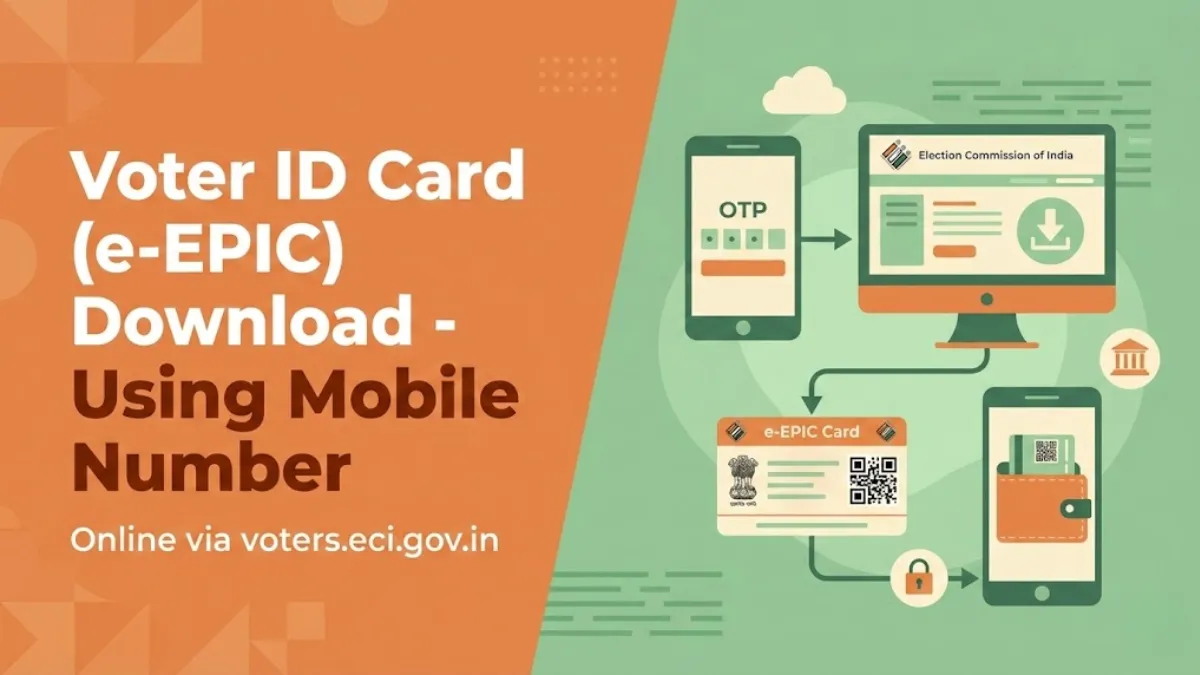
Downloading your voter ID card PDF using mobile number is now very simple and fast process. If your mobile number is linked with your Voter ID, you can easily download the digital Voter ID (e-EPIC) from the ECI's official voters portal.
What is Voter ID Card (EPIC Card)?
A Voter ID, also called a Voter Identity Card or Electoral Photo Identity Card (EPIC), is an important document issued by the Election Commission of India to all eligible voters. When a person turns 18 years old, they become eligible to vote and can apply for voter ID card after registering their name in the voter list.
It is a small plastic card that includes basic details like your name, age, address, photograph, and a unique EPIC number. This card allows you to vote in elections and is the most commonly accepted proof for voting and Indian citizenship. While some other documents may also be allowed, the voter ID is the most trusted and convenient option.
ALSO CHECK: Electoral Search by Name / Electoral Search by Mobile Number / Electoral Search by EPIC (Voter ID) Number
Check Your EPIC & Polling Station Details, Part Number and Part Serial Number
Enter your EPIC number (Voter ID number) below to know complete details of your EPIC including the polling station name, address, part number and part serial number.
How to Download PDF of Voter ID Card with Photo by Mobile Number from voters.eci.gov.in
STEP 1: Go to the official election commission website at https://voters.eci.gov.in
STEP 2: On the homepage of the website, you will see the "E-EPIC Download" option. Click on it and the login page will open. Enter your registered mobile number and the captcha code, then click to get the OTP. After you receive the OTP on your mobile, enter it to log in. If you have never created an account on this portal, then create Sign-Up and enter your mobile number, verify OTP and then follow the Login process.

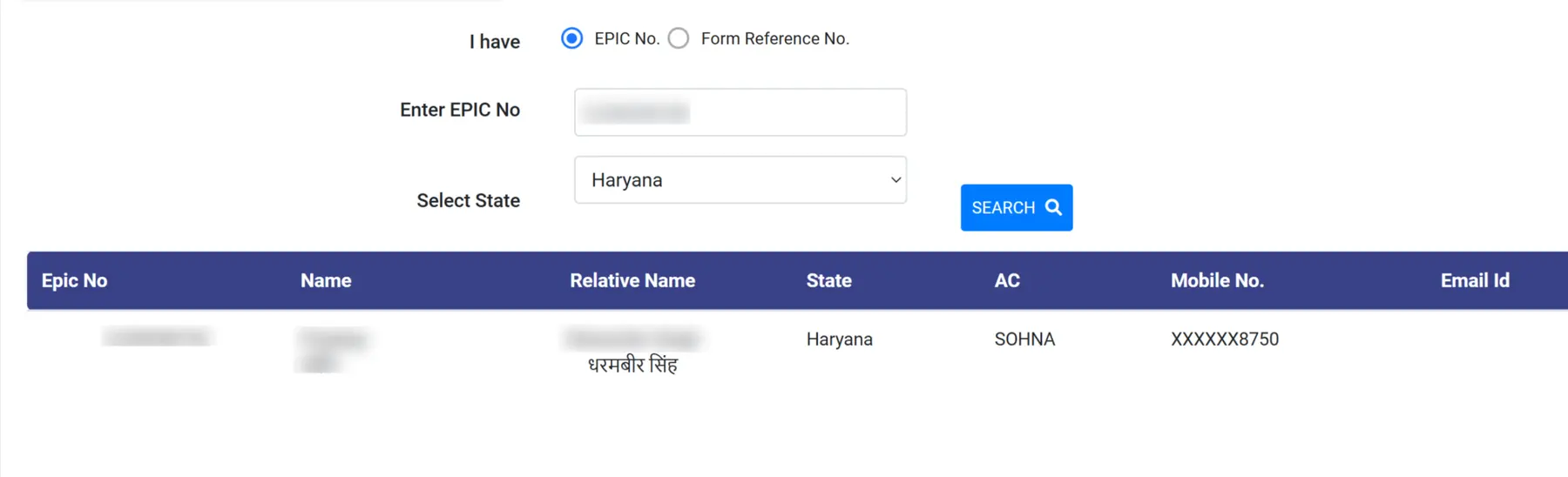
STEP 3: On the next page, you have two options to download Voter ID card one is EPIC no and another is Form Reference No as shown below screenshot.

STEP 4: After entering the EPIC No and select the state then click on search button your personal details will be appeared as shown in screenshot below.
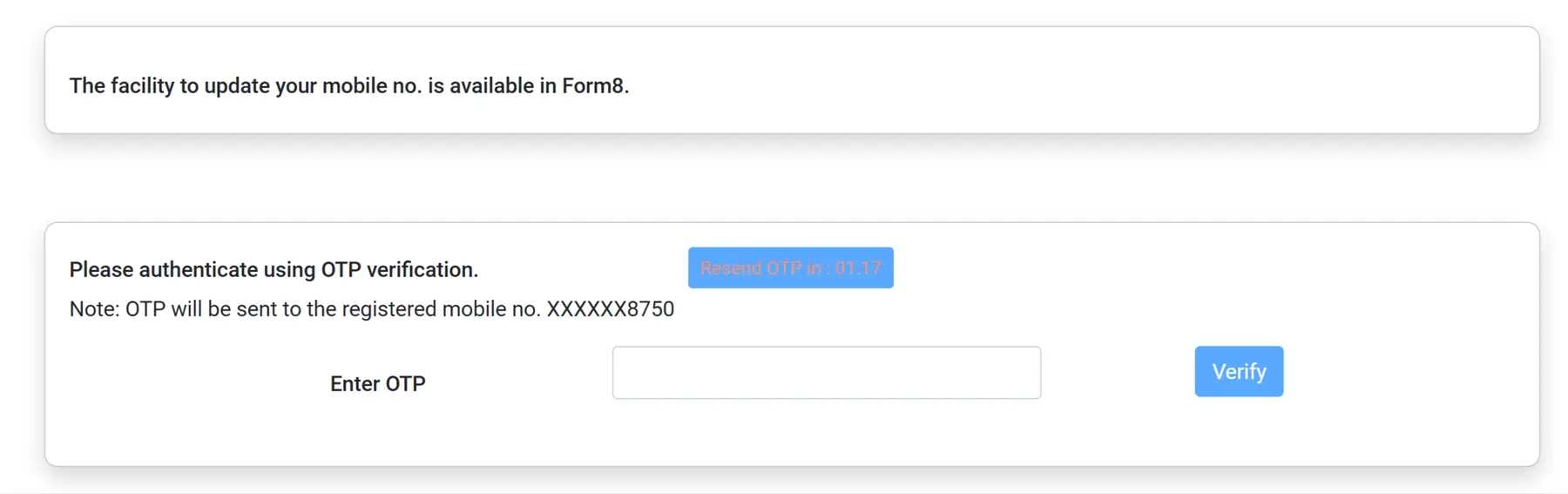
STEP 5: Now you have to click on "Send OTP" button and you will enter the received OTP to verify as shown below screenshot.
STEP 6: After successfully verified, you will see the "Download e-EPIC" button as shown below.

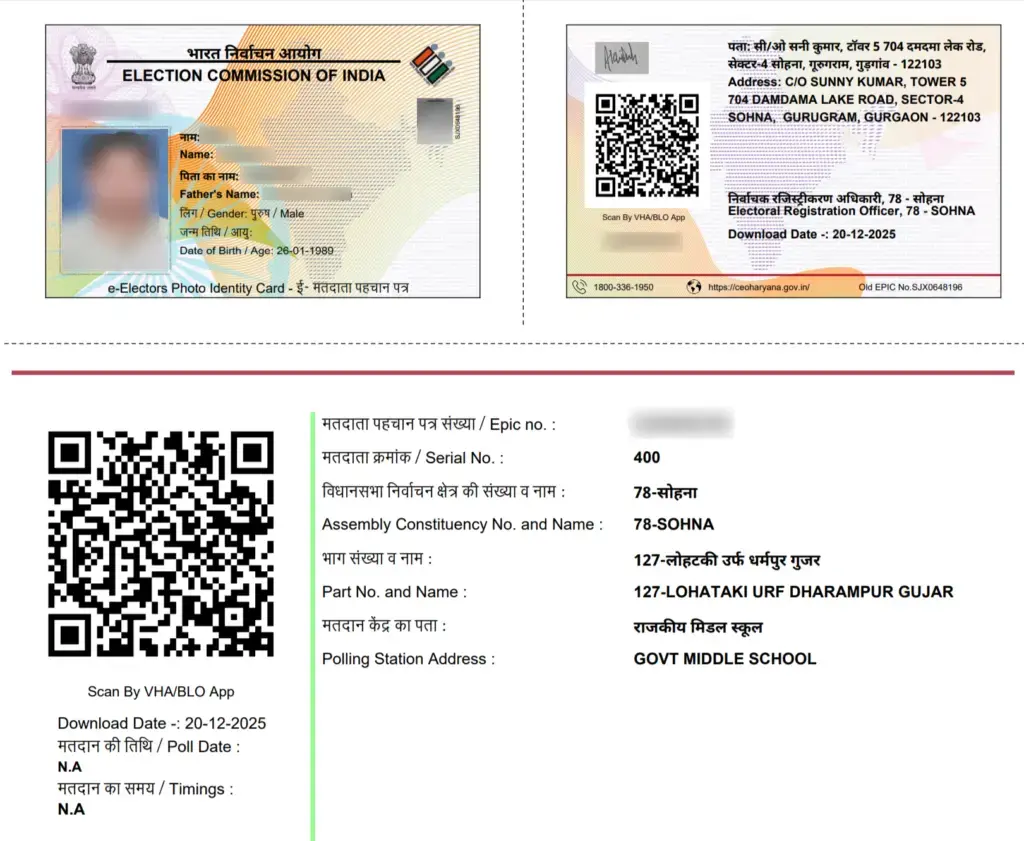
STEP 7: Now your voter ID card will be downloaded to your computer or mobile. Check download section in your computer or mobile phone and e-EPIC card PDF will open as below screenshot.
FAQs
What is a Voter ID card?
A photo ID card issued by the Election Commission of India. It shows your name, photo, age, address, and a 10-digit EPIC number. Mainly for voting + acts as strong ID proof.
Who can get Voter ID Card?
Any Indian citizen aged 18+ who is a resident of India and not disqualified (e.g., no certain criminal convictions).
Is it compulsory to vote?
No, but it’s the easiest and most accepted document. You can vote with 12 other photo IDs (Aadhaar, passport, etc.), but Voter ID is preferred.
How to apply or download?
Apply online at voters.eci.gov.in (Form 6) with age/address proof. If already registered? Download free digital e-EPIC (PDF) from the same site using EPIC number or mobile OTP.
What if I lose it or need changes?
Download e-EPIC instantly from the website (no physical replacement needed). For name/address/photo update, use Form 8 online or contact your BLO. Helpline: 1950.