If you have received a Logical Discrepancy Notice for details verification from Election Commission of India under the Special Intensive Revision (SIR) 2026 drive, you need to upload the required documents on the Voters Portal. By following the steps given in this article, you can respond to the notice on time.
SIR 2026 - Upload Documents Against Logical Discrepancy Notice Online?
STEP 1: Visit the official Election Commission website voters.eci.gov.in
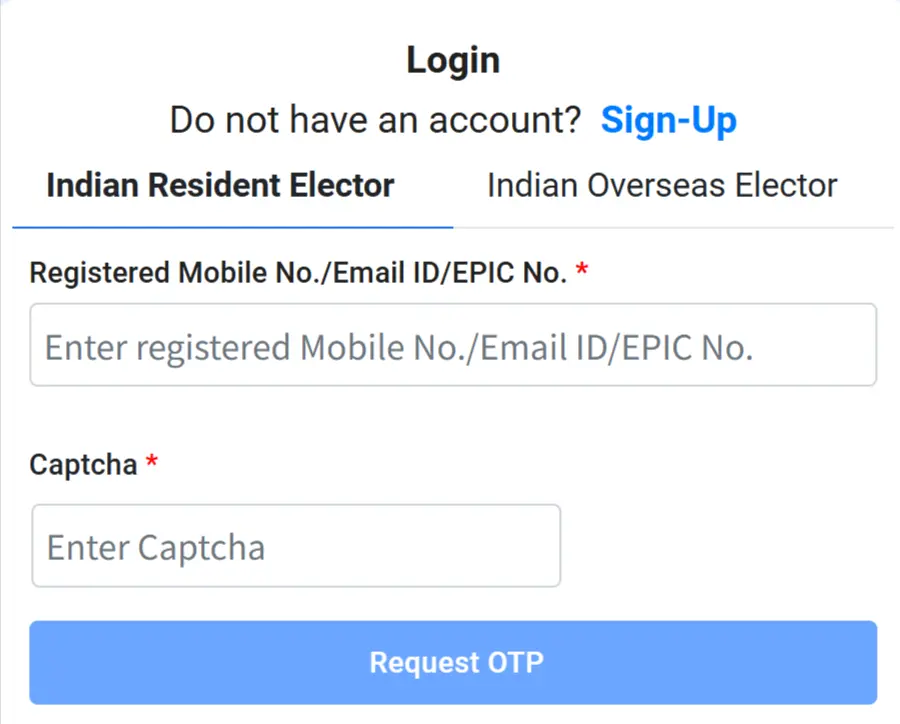
STEP 2: Now click on the “Login” button and enter your EPIC number or mobile number to sign in. If you do not have an ID, you need to create a new ID by click on "Sign UP" button on the Voter Portal website.
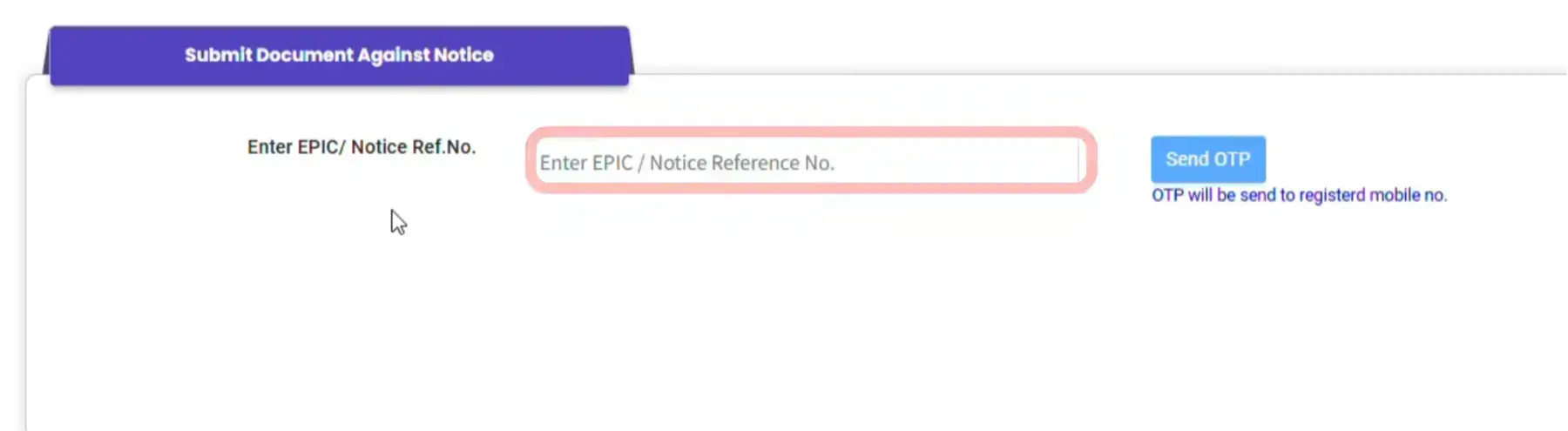
STEP 3: After successfully login you will find the "Submit Document Against Notice Issued" as shown in similar screenshot shown below.

STEP 4: Now you have to enter the EPIC or Notice reference number then enter the requested OTP as shown in below image.
STEP 5: On the next page, you will see your voter details, along with the hearing date and the list of documents to be uploaded, as shown in the image below.
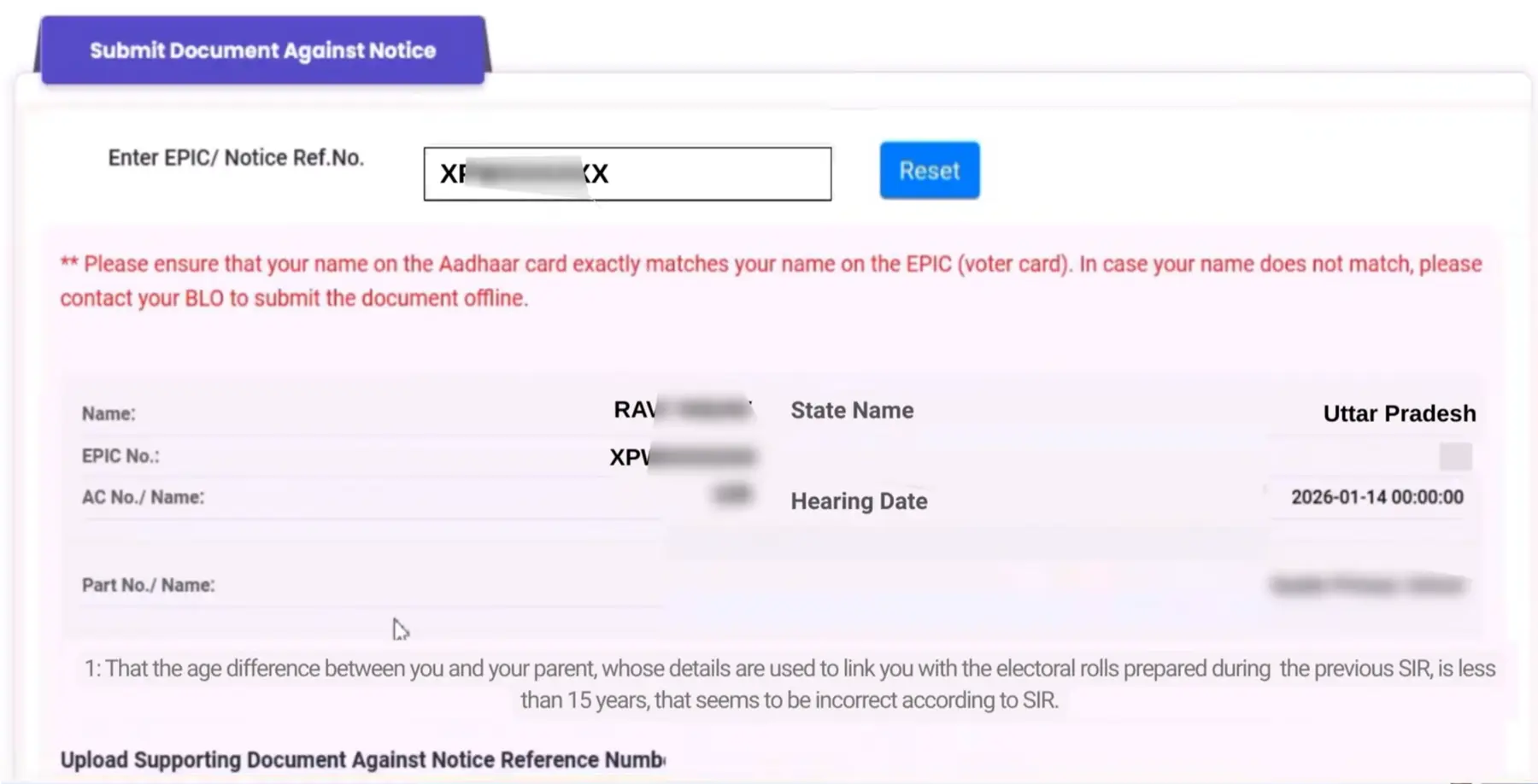
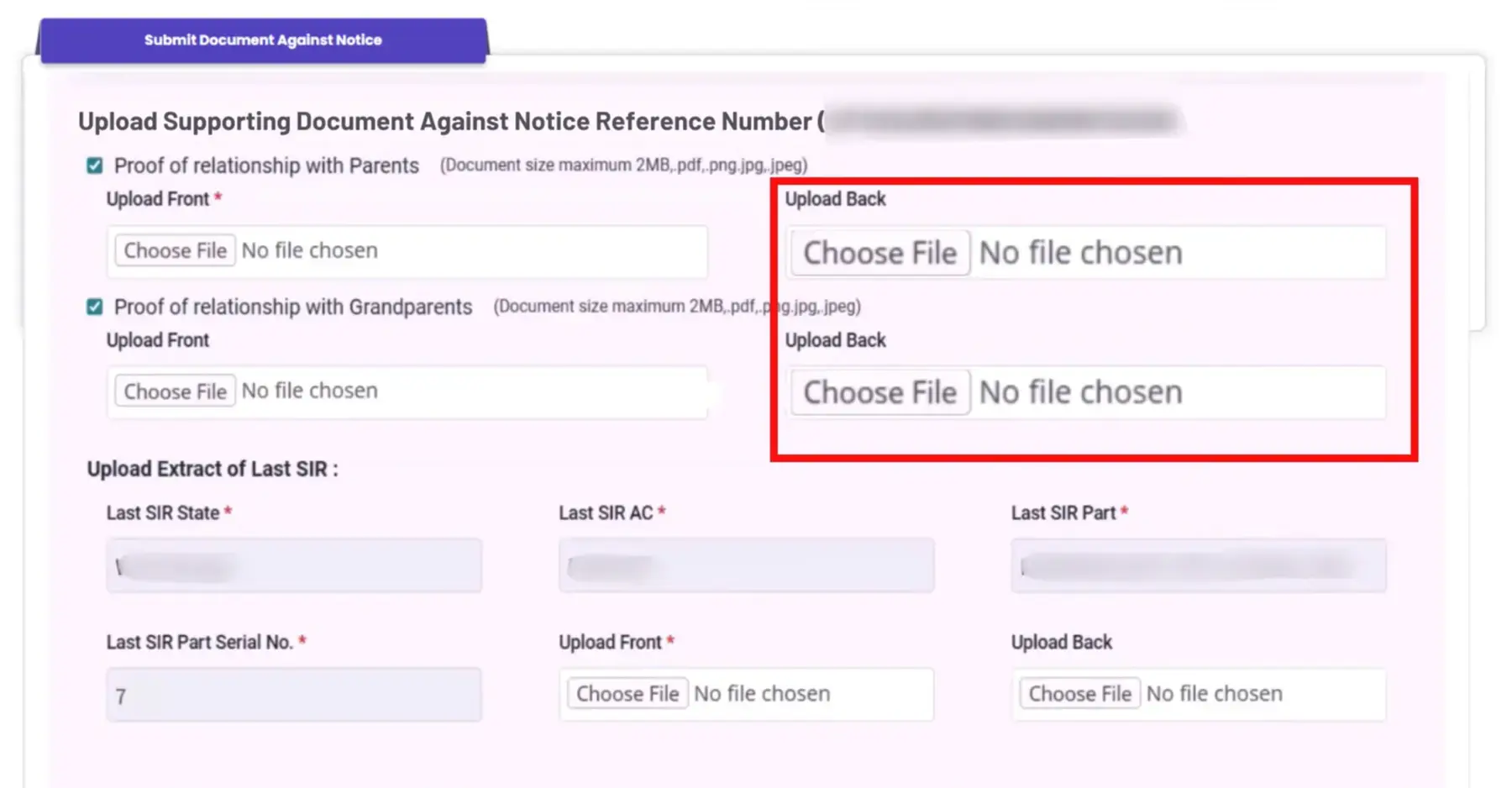
STEP 6: The required documents may be different for each person and reason. In this particular case as shown in the image, you need to upload proof of relationship with grandparent and parent, including documents from both sides. The size of documents not exceed 2 MB.
If a parent’s name is already listed in the last SIR, then their details also need to be provided.
STEP 7: After upload all the necessary documents, then you need to verify the for the Aadhaar OTP. Now you have to enter the Aadhaar number or Virtual ID or UID token then enter the requested OTP to verify as shown in below image.
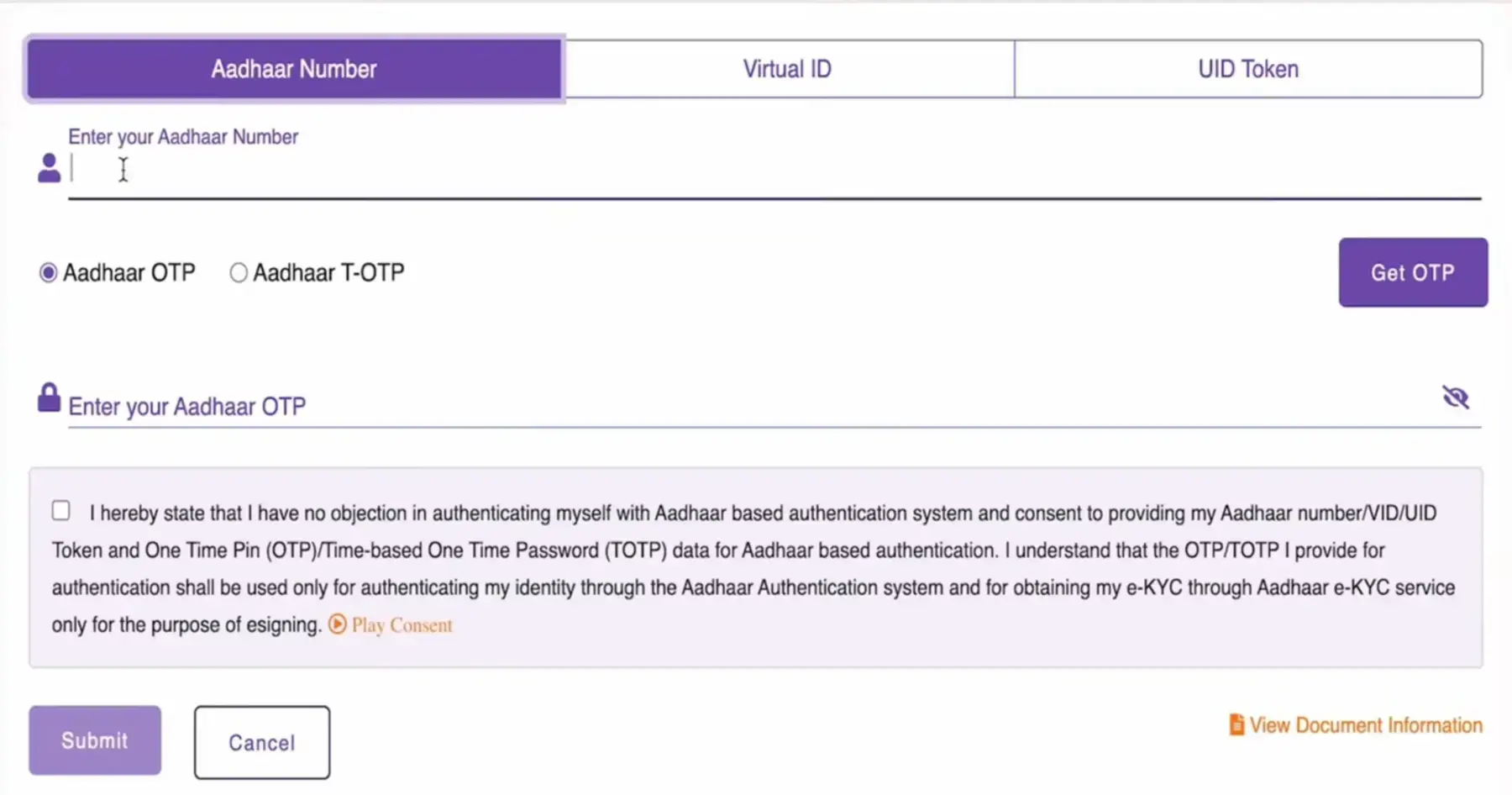
STEP 8: After successfully verify click on submit button then on your screen Acknowledge number will be appeared as shown in similar screenshot below.

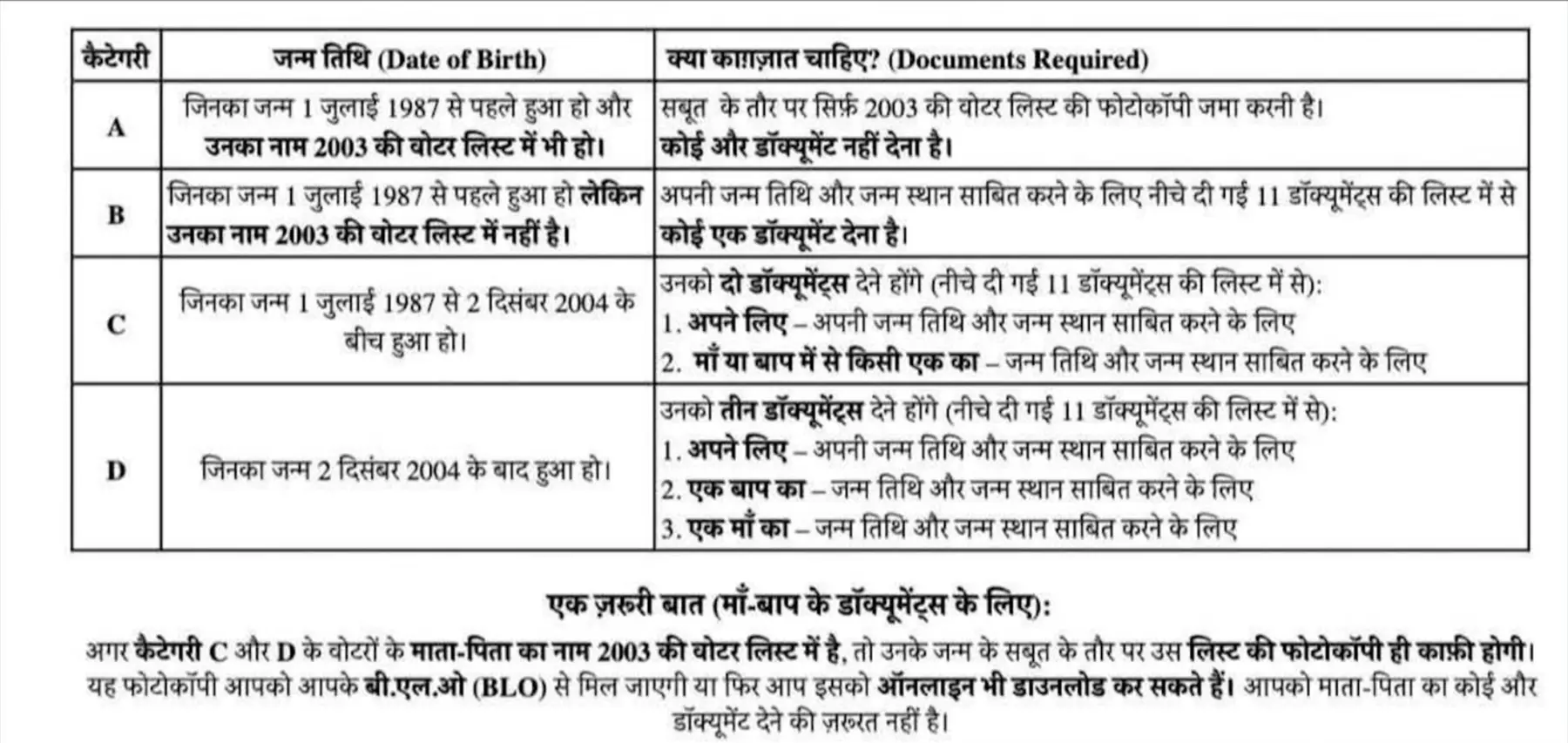
Required Documents for SIR Notice
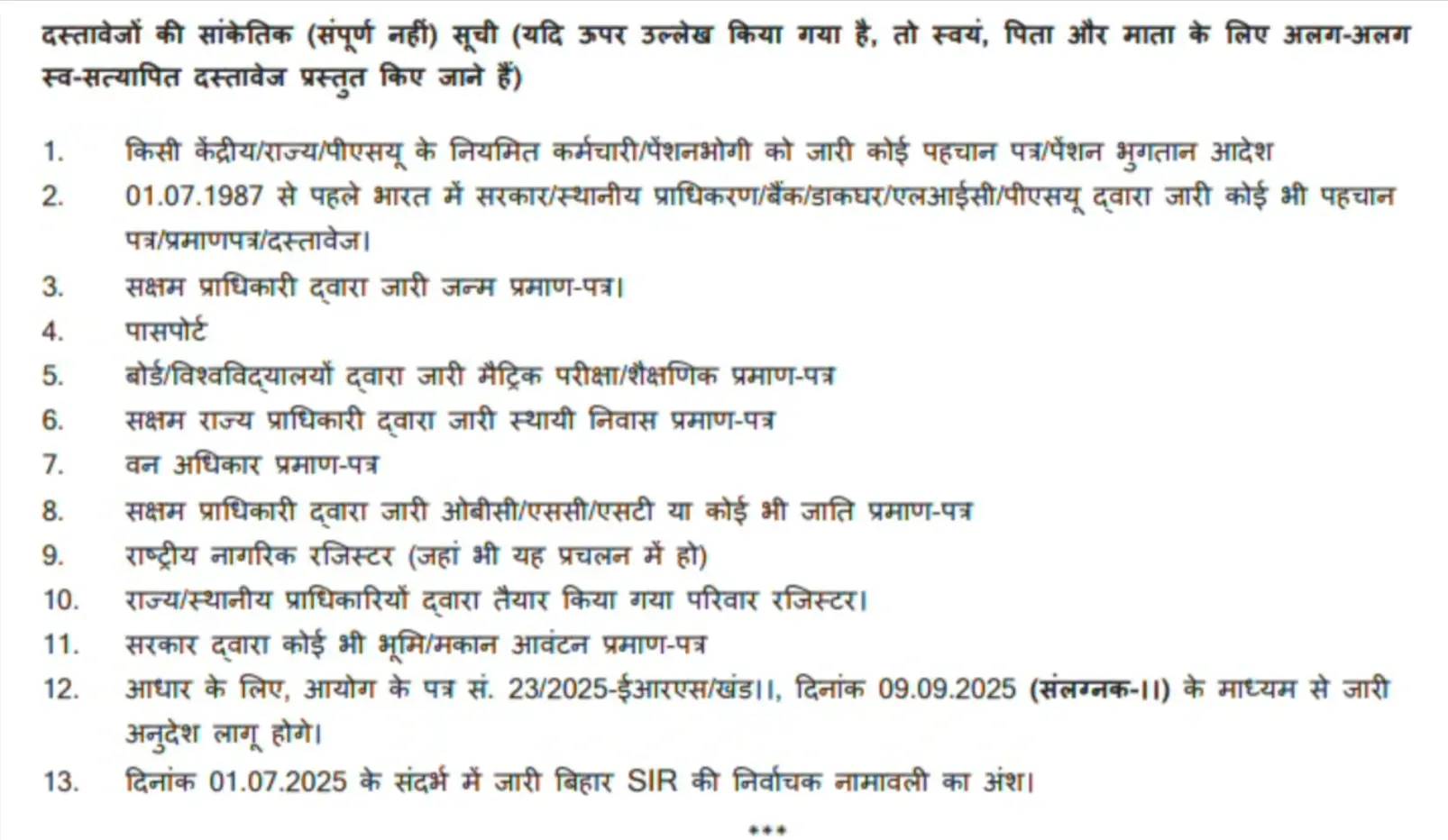
Document Required for Age Difference in SIR Form or Notice