

PVC Voter ID Card is now being issued to every new voter by the Election Commission of India, but the existing voters can also apply for this PVC card online using their EPIC number by following the steps given below. After application, the PVC card will be delivered to your home by post.
You can place order of PVC Card online only when your mobile number linked with Aadhaar Card and Voter card both.
How to Order PVC Voter ID Card Online?
STEP 1: Go to the official Election Commission website, voters.eci.gov.in
STEP 2: On the homepage of the website, click on the “Login” button, then enter the mobile number with CAPTCHA code and enter the requested OTP to login as shown below image. Voters who are not registered on the ECI portal need to create a new account by clicking on “Sign Up.”

STEP 3: After Successfully login, now you will find the "Form 8" link as shown in screenshot below.

STEP 4: On the next page, you have to select "Self" option and enter the EPIC number and click on submit button as shown in similar screenshot below.

STEP 5: After that, voter detail will be displayed and click on "Ok" button. Now you have to choose the "Issue of Replacement EPIC with Correction" as shown in below screenshot.

STEP 6: On the next page, voter's personal details will be displayed in Part A of Form 8, then in Part B you have to enter your Aadhaar number and Email ID as shown in similar screenshot below.

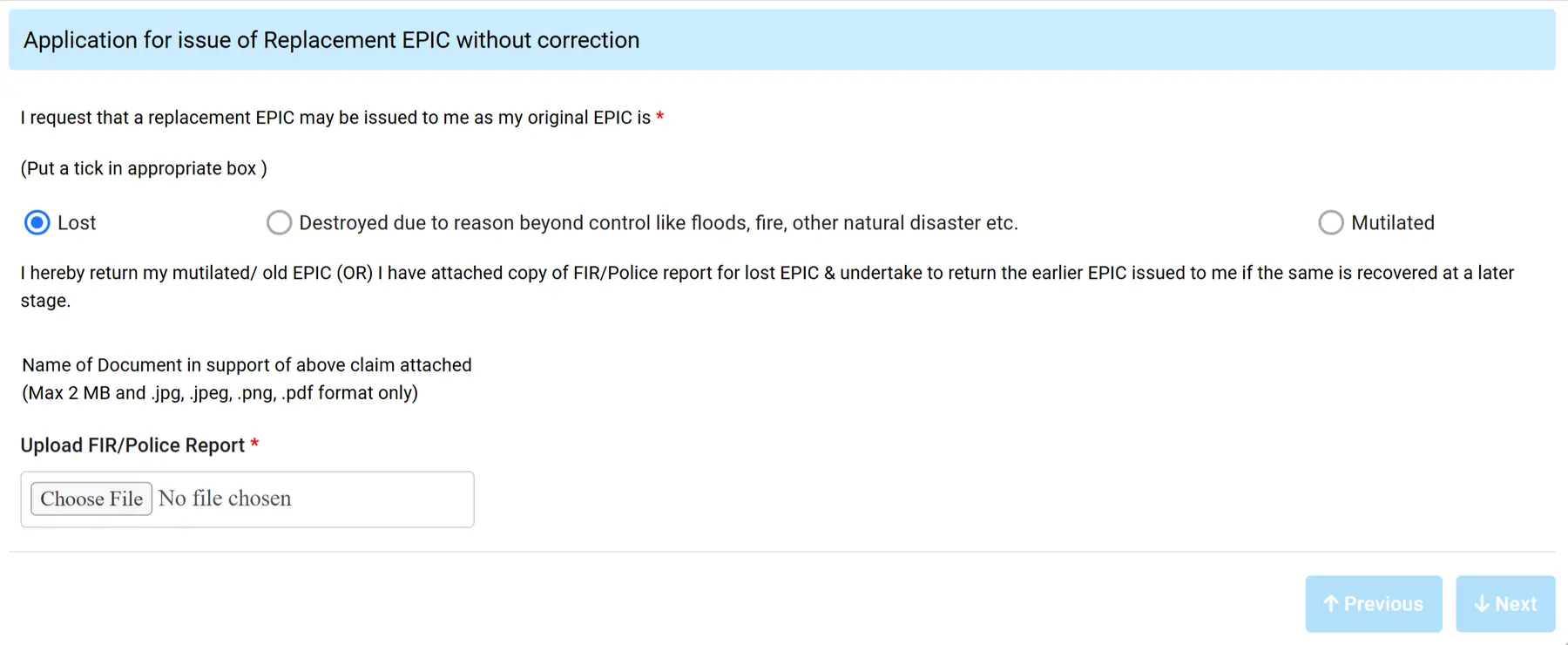
STEP 7: In Part C is the same option as already choose "Issue of Replacement EPIC with Correction" and then you will to choose the option to order the PVC ID card Online as mentioned below and similar image shown below.
- If you choose option one lost then you need to upload the FIR copies
- Options two and third their no need to upload any documents as shown in
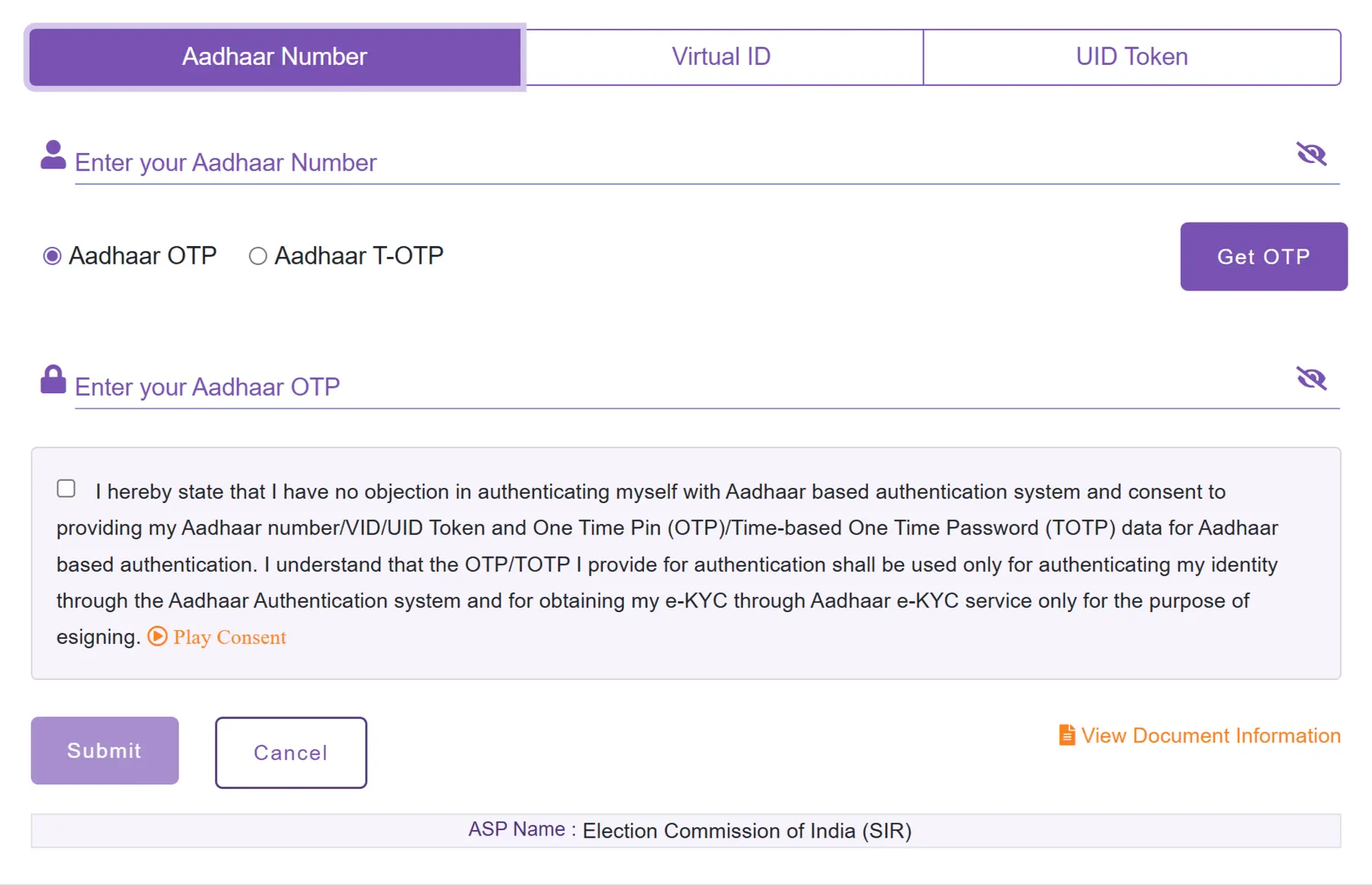
STEP 8: After that, click on the Declaration Form, enter the captcha code, and then click on Preview & Submit. Your filled form will appear on the screen. Check all the details again and then click on the e-Sign & Submit button as shown below.

STEP 9: On the next page, enter your Aadhaar number and click on Get OTP. Enter the OTP to verify Form 8. After successful verification, your acknowledgement number will be shown on the screen, as shown below.
STEP 10: After that on your screen Form 8 successfully filled shown with acknowledgement number as shown in below image. Your PVC Voter ID card will be delivered within 15 days from the date of apply.

How to Check PVC Voter ID Card Status Online?
Step 1: Visit the Election Commission of India (ECI) official website voters.eci.gov.in.
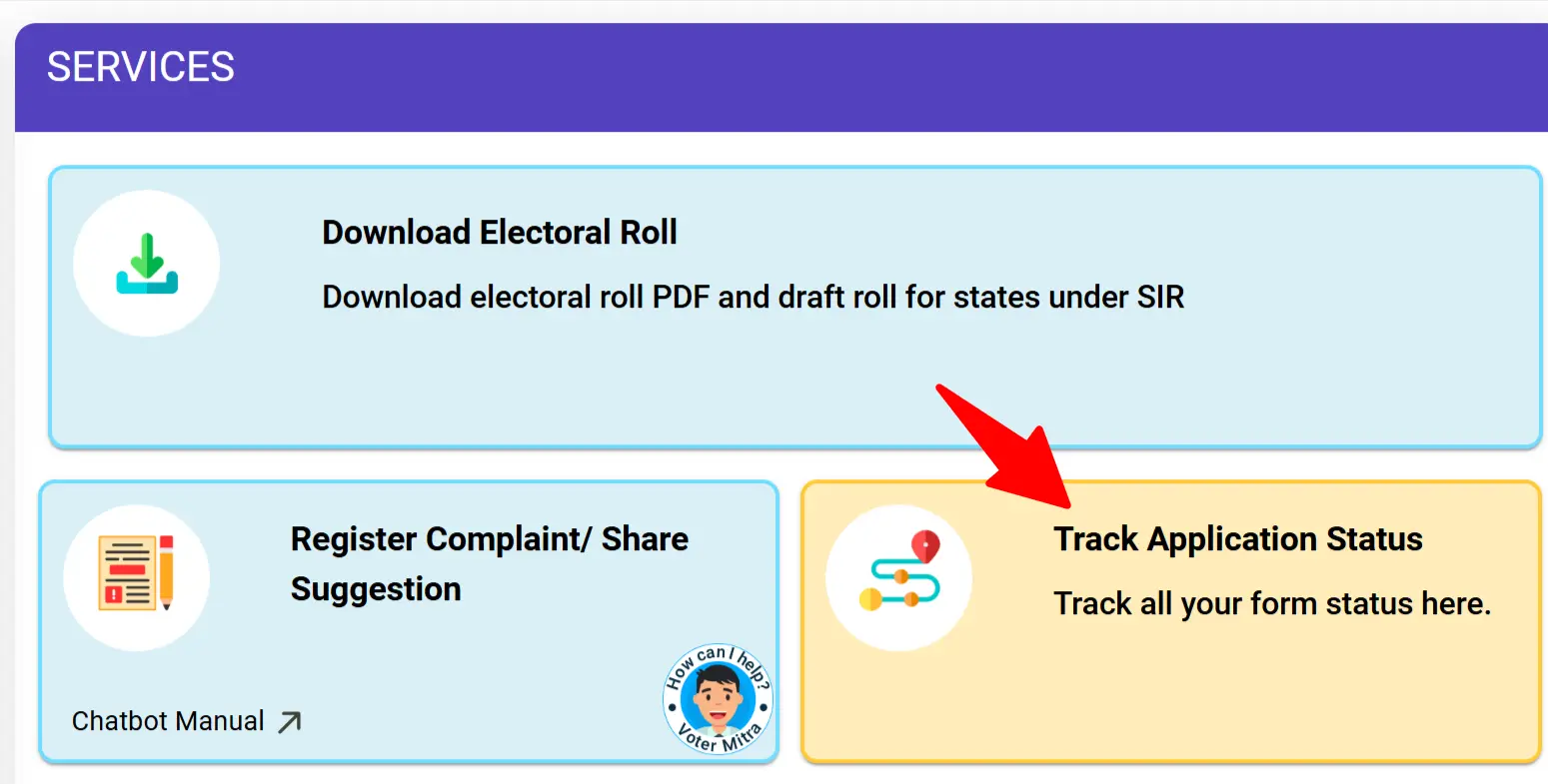
Step 2: On the Homepage you will find the "Track Application Status" as shown under Services section in below image
Step 3: On the next page you have to enter the Reference number and click on search button as shown below. You can check status of your application.
