

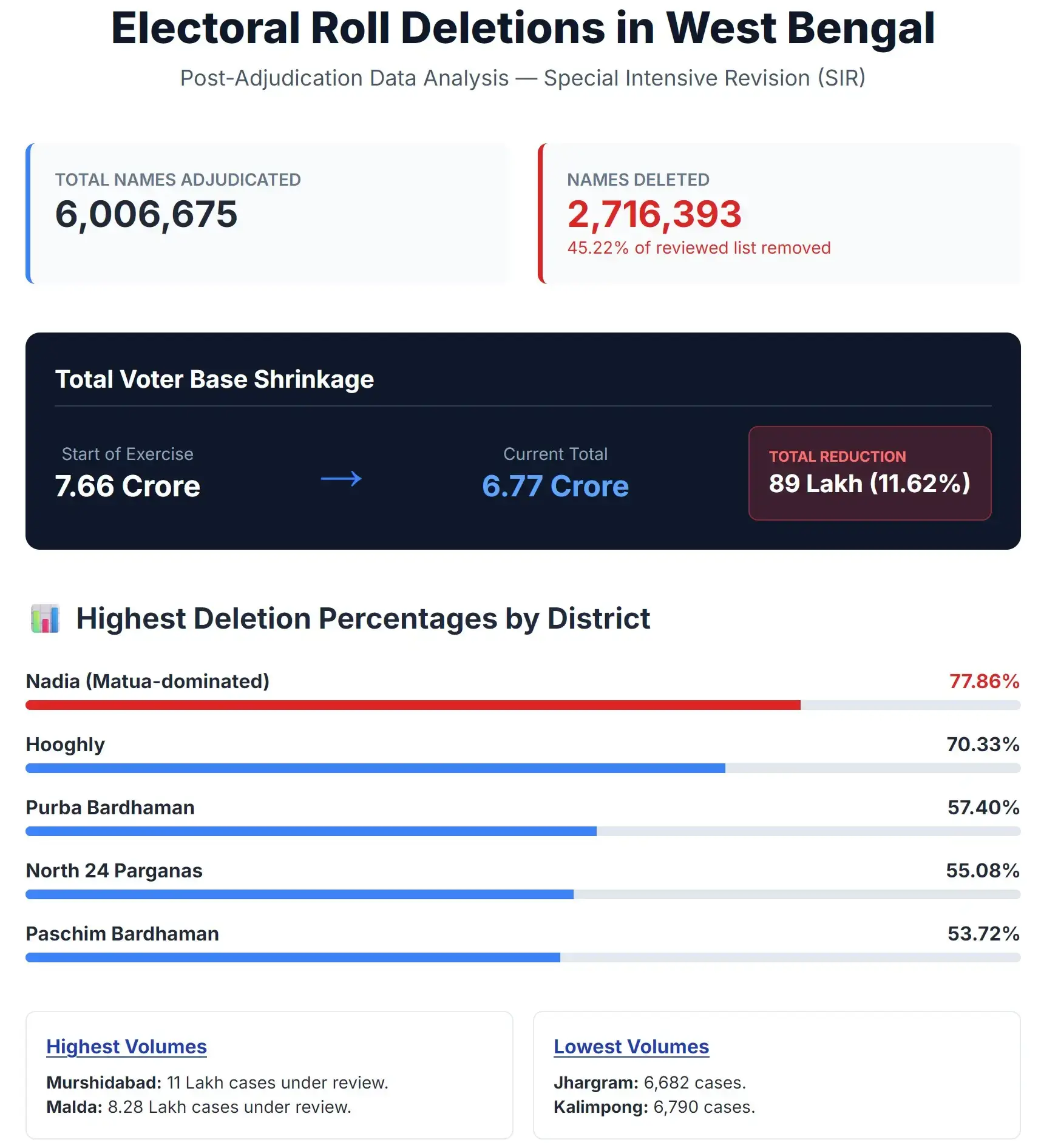
Election Commission of India released the SIR 2026 final voter list of West Bengal on 28th February on the official portal. According to the West Bengal Election Commission, about 91 lakh voters were removed from the rolls during the Special Intensive Revision. Of these, 27.16 lakh were found ineligible, while 63 lakh were deleted earlier. Most were from Murshidabad, North 24 Parganas, and Malda.
| District Name | Action to be Taken | Action Taken | Number of Parts | |||
|---|---|---|---|---|---|---|
| Eligible | Not Eligible | Eligible | Not Eligible | Completed | Total | |
| Coochbehar | 117382 | 120725 | 117382 | 120725 | 2232 | 2482 |
| Jalpaiguri | 72836 | 35356 | 72836 | 35356 | 1730 | 1739 |
| Darjeeling | 35776 | 44230 | 35776 | 44230 | 1067 | 1356 |
| Uttar Dinajpur | 303261 | 176972 | 302679 | 176881 | 2083 | 2133 |
| Dakshin Dinajpur | 55490 | 76768 | 55490 | 76768 | 1155 | 1313 |
| Malda | 588657 | 239375 | 588642 | 239366 | 2768 | 2947 |
| Murshidabad | 633671 | 455137 | 616273 | 436656 | 4941 | 5201 |
| Nadia | 59314 | 208626 | 59069 | 207436 | 3287 | 4471 |
| North 24 Parganas | 265077 | 325666 | 263418 | 321414 | 7160 | 8337 |
| South 24 Parganas | 295739 | 222929 | 279760 | 213475 | 6300 | 7332 |
| Kolkata south | 50049 | 28468 | 49419 | 27886 | 1027 | 1056 |
| Kolkata North | 22071 | 39164 | 21428 | 37871 | 1073 | 1642 |
| Howrah | 157558 | 132151 | 157294 | 132146 | 3756 | 4092 |
| Hooghly | 50965 | 120813 | 50915 | 120475 | 2808 | 4627 |
| Purbo Medinipur | 60533 | 19572 | 58797 | 18922 | 2600 | 2759 |
| Paschim Medinipur | 51006 | 52277 | 49859 | 50750 | 2588 | 3462 |
| Purulia | 27635 | 5942 | 27174 | 5898 | 1850 | 1338 |
| Bankura | 32584 | 6533 | 31911 | 6231 | 1714 | 1614 |
| Purba Bardhaman | 150540 | 209805 | 149279 | 208991 | 3100 | 4177 |
| Birbhum | 120000 | 82059 | 119307 | 81787 | 2254 | 2539 |
| Alipurdwar | 44416 | 36078 | 44416 | 36078 | 1225 | 1325 |
| Kalimpong | 4383 | 2407 | 4383 | 2407 | 222 | 270 |
| Jhargram | 5442 | 1240 | 5442 | 1240 | 575 | 412 |
| Paschim Bardhaman | 63734 | 74100 | 63143 | 73927 | 2328 | 2407 |
| Total | 3268119 | 2716393 | 3224092 | 2676916 | 59843 | 69031 |
Election Commission of India has announced that the West Bengal Assembly elections will be held in two phases i.e 23rd & 29th April 2026. In this process, voting will take place in different parts of the state on separate dates, and all constituencies will be covered across these two phases.
How to Download SIR Final Voter List 2026 of West Bengal?
After the voter list is released, you can go the district link from below list, then select your assembly constituency and on the next page select the name / number of part and select "SIR FinalRoll - 2026" in the roll type to download the voter list PDF.
Download West Bengal 2026 SIR Final Roll from Official ECI Voters Portal?
STEP 1: Go to the official ECI Voters portal at voters.eci.gov.in
STEP 2: At the Homepage, you will find the “Download Electoral Roll” link, as shown in similar screenshot below.

STEP 3: On the next page you have to select "West Bengal" in state field, "2026" in year field, "FinalRoll-2026" in Roll Type, your district name in district field, your assembly constituency and language in their respective fields as shown in below image.
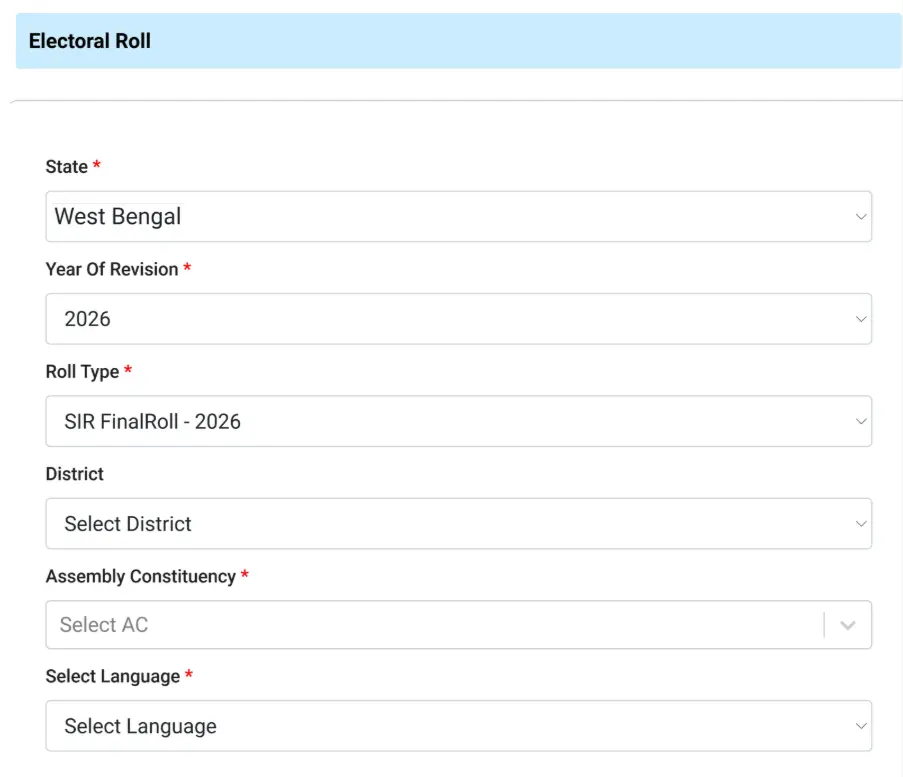
STEP 4: Now on your screen, the list of polling stations / part numbers will be displayed, select your polling booth or area and then click on the button to download the selected PDFs.
STEP 5: Enter the captcha code, confirm download and save the PDF file on your mobile or computer.
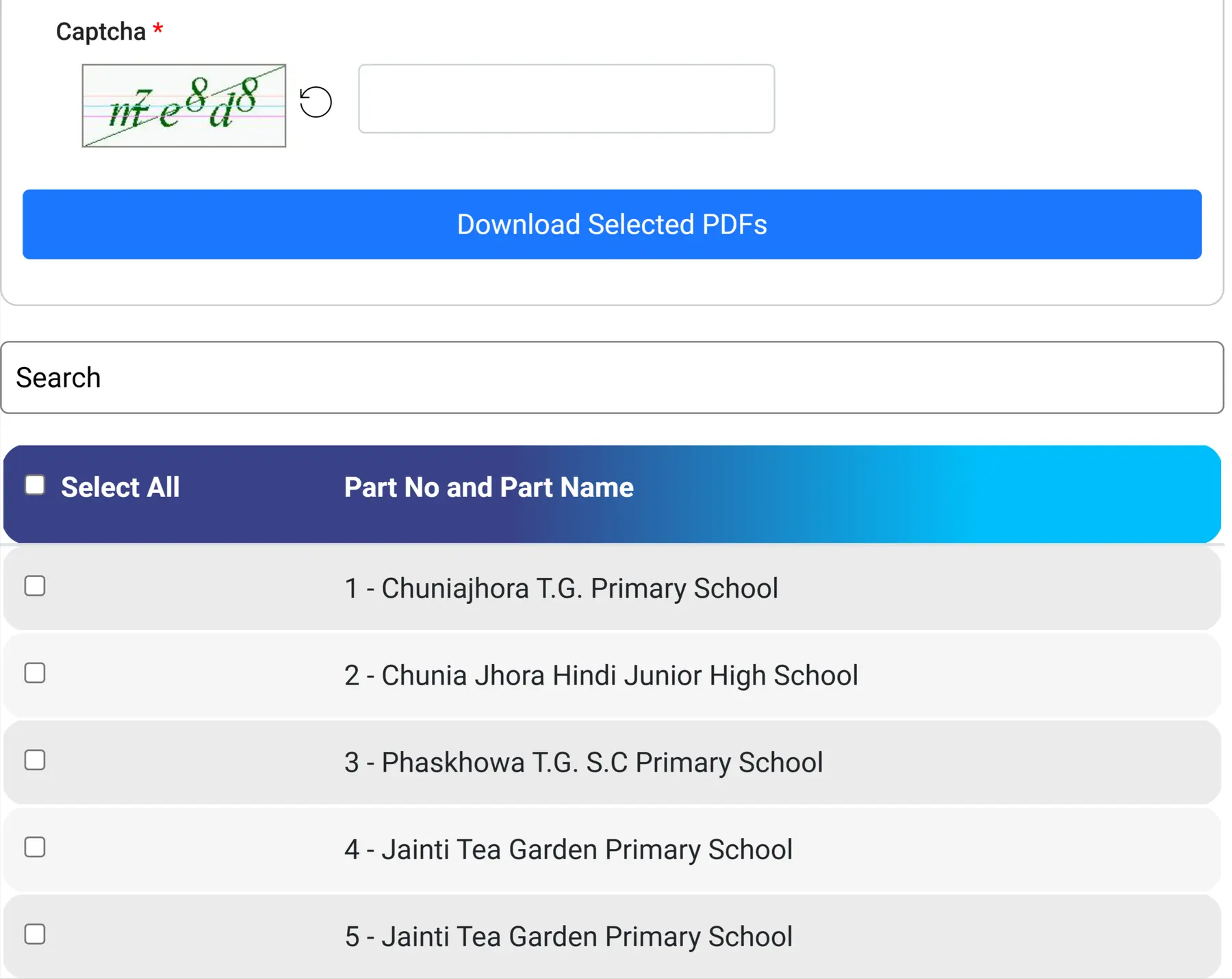
STEP 6: Wait for the Download Progress to complete. All selected PDFs will download automatically

STEP 7: Save the downloaded final 2026 voter list PDF of West Bengal on your mobile or computer, which will look like below.

Check Your Name in West Bengal SIR Final Voter List 2026
Check Name Through Mobile Number
You can check your name in voter list by enter the registered mobile and select the state then enter the CAPTCHA code then your details will be displayed.
Check Name by EPIC Number
In that case enter your EPIC number or Voter ID number in the below EPIC number field, click on “Next” button, enter the captcha code shown and then click on “Search” button. After your name will be displayed.
What to do if your name is not on the list?
If your name did not appear on the published final electoral roll, you will have to complete and submit Form 6. Along with Form 6, you must provide supporting documents to verify your age and residence, as well as a recent passport-sized photograph.
You can submit these materials either online through the ECI website at voters.eci.gov.in or the ECINET app, or in person to the designated BLO.